


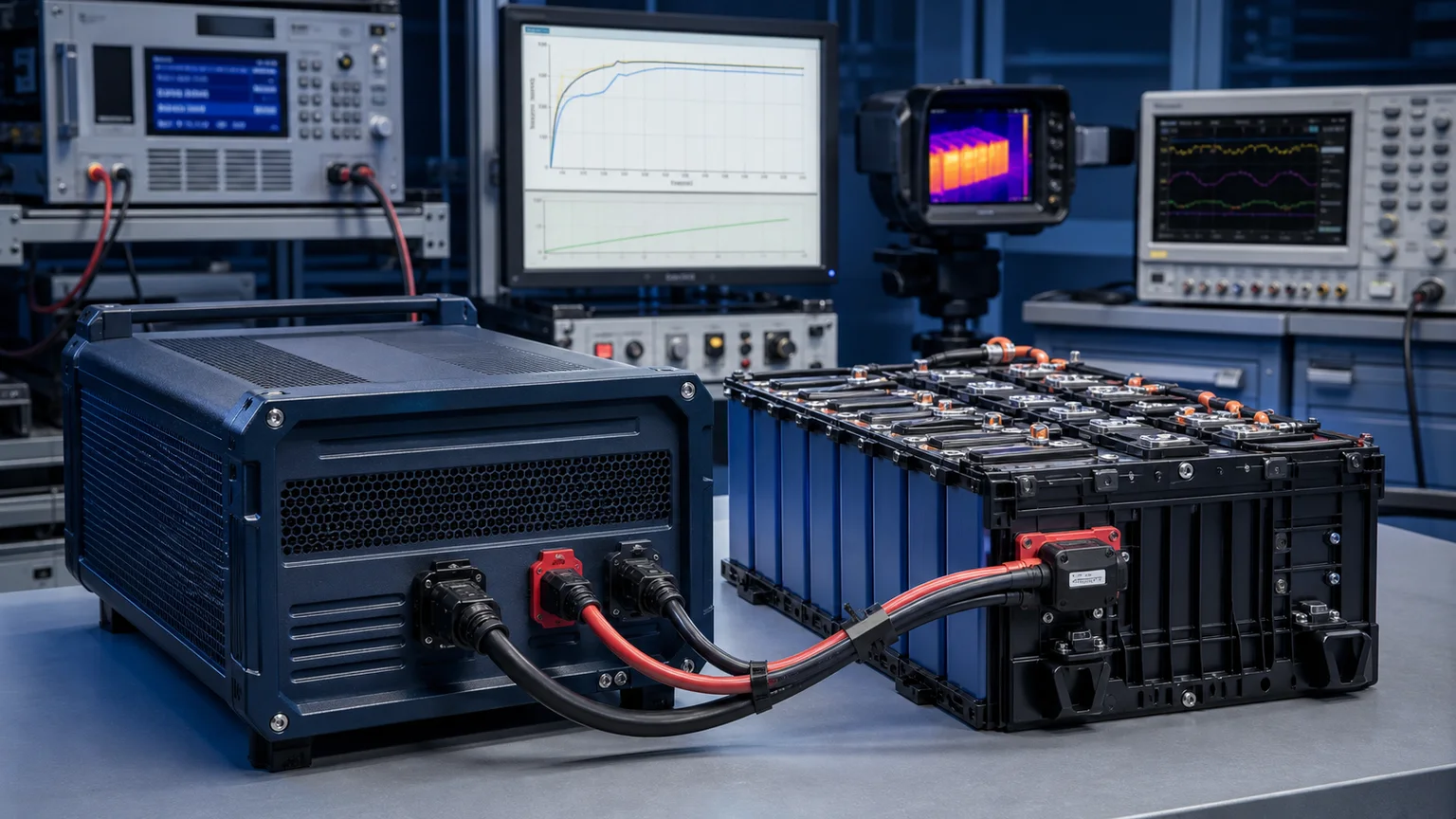

The data closet is air-conditioned, the racks are tidy, and a 3 kVA UPS sits at the bottom dutifully blinking green. Then a substation fault drops the building for 22 minutes. The UPS holds the racks for 6 minutes and shuts down. The core switch reboots. The badge readers reboot. The phones don't ring for half an hour. Nobody specified the wrong UPS — they specified the wrong runtime.
Selecting a UPS is the easy part. Sizing how long it actually runs is where most projects underbuild. The kVA rating on the nameplate tells you how much load the inverter can carry. It does not tell you how many minutes the batteries will support that load — and the relationship between the two is rarely linear, never quite what the marketing chart shows, and almost always shorter than what facility engineers assumed.
This guide walks through how to calculate UPS runtime correctly, what to add to the load you "see" in the rack, and how to choose between extending battery autonomy and adding a generator. The goal is a UPS that delivers the minutes you actually need, not the minutes the datasheet hopes you'd accept.
The Two Numbers That Decide Runtime
A UPS battery is rated in amp-hours (Ah) at a specific discharge rate. The inverter converts DC battery energy to AC at a defined efficiency. Runtime is, in plain terms, how much usable energy the battery bank can deliver divided by how much energy the load is drawing.
The simplified runtime formula every facility engineer should keep in mind:
Runtime (hours) ≈ (Battery Voltage × Total Ah × DoD × Inverter Efficiency) ÷ Load Watts
Where:
- DoD (Depth of Discharge) — usable fraction of the battery, typically 0.5–0.8 for sealed lead-acid (VRLA) and up to 0.9 for LiFePO4.
- Inverter Efficiency — typically 0.88–0.95 for online double-conversion at moderate load.
- Load Watts — real watts, not the apparent VA on the panel.
Two numbers run this equation: the usable battery energy and the real load. Get either wrong and the runtime estimate is wrong. Both are routinely wrong.
Battery Energy Is Not the Nameplate Number
A 12V 100Ah VRLA battery does not deliver 1.2 kWh in a UPS. It delivers what the discharge curve allows at the actual discharge current. Pull a 100Ah battery at a 1-hour rate (100A) and you get roughly 60–65% of its 20-hour rating — Peukert's law in action. Pull it at a 5-minute rate, and you get less still.
Manufacturers publish runtime tables specifically because the simple formula is optimistic. Always validate against the published curve, not the nameplate Ah.
Real Load Is Lower Than the Sticker, Higher Than You Hope
A server with a 1200W power supply does not draw 1200W. At idle it might pull 280W; under typical load 450–600W; during a hash workload, 900W. Network switches with full PoE budget often run hot but only briefly hit nameplate. Use measured wattage from a metered PDU, not the sum of power-supply ratings.
This is also where kVA vs kW trips people up. UPS capacity is sold in kVA. Equipment power consumption is reported in W. If your equipment has a power factor of 0.9 and the UPS carries it as a 0.9 PF load, a 3 kVA UPS supports 2.7 kW. Modern IT gear with active PFC runs PF ≈ 0.99, so most racks size near 1:1 — but legacy switching gear, fluorescent lighting, and motor loads can pull PF down quickly.
How to Calculate UPS Runtime Step by Step
A defensible runtime calculation has five steps. Skipping any of them is how 6-minute runtime gets specified for a 30-minute requirement.
Step 1 — Inventory the True Critical Load
List every device that must stay up. For each one, capture measured average watts under expected operating conditions, not the power-supply nameplate. Add a 20–30% contingency for future growth and instantaneous peaks.
A network closet is rarely "just a switch." It is the switch, the firewall, the wireless controller, possibly an access-control head end, and any KVM-over-IP that lets you recover remotely. Forgetting any of those during an outage means a controlled shutdown turns into a manual site visit.
Step 2 — Convert Watts to VA Where the UPS Demands It
If the UPS is sized in kVA, convert the load: VA = W ÷ Power Factor. For modern IT equipment use 0.95–0.99. For mixed loads with motors or older equipment, drop to 0.85.
Step 3 — Apply the UPS Efficiency and DoD
The energy that reaches your load is less than the energy stored in the batteries because the inverter loses 5–12% to heat. The energy you can extract is less than the rated Ah because draining a battery to zero shortens its life dramatically.
Use these planning numbers when no datasheet is available:
- VRLA batteries: discharge to 50–60% DoD for routine cycling, 80% only for rare events.
- LiFePO4: 80–90% DoD is acceptable, with much better cycle life.
Step 4 — Add Cold-Climate and Aging Derate
Battery capacity drops with temperature and with age:
- At 0 °C, a VRLA battery delivers roughly 75–80% of its 25 °C capacity.
- After 3 years in continuous float, a VRLA bank typically delivers 70–80% of its day-one capacity.
If your runtime number assumes a brand-new battery at 25 °C, you have written a commissioning-day spec, not a 3-years-from-now spec. Plan for end-of-life conditions.
Step 5 — Decide What You're Trying to Achieve
The required runtime is a function of what should happen during the outage:
- Ride-through only (1–5 minutes) — survive momentary utility blips and sub-cycle sags. Most outages are short; this catches the majority.
- Graceful shutdown (5–15 minutes) — enough time for orchestrated server shutdowns, database flushes, and VM migrations.
- Operational continuity (30–120 minutes) — keep the business running through medium outages, or bridge to a backup generator.
- Standalone autonomy (2–8 hours) — no generator on site; UPS is the only backup until utility returns.
A 3 kVA UPS with internal batteries gives you ride-through. Anything beyond that needs an extended battery cabinet (EBC), a larger UPS, or a generator.
When to Add Battery Cabinets vs Add a Generator
This is the budget question everyone eventually asks: should I buy more batteries, or should I buy a generator?
Battery cabinets scale linearly. Doubling runtime means roughly doubling battery cost, weight, and floor space. Past about 30–60 minutes, batteries become punishingly expensive per minute. They also age out and need replacement every 3–5 years (VRLA) or 8–10 years (LiFePO4).
A small standby generator covers indefinite outages but adds:
- Fuel storage, refueling logistics, and a maintenance regime.
- A transfer switch and the engineering to coordinate it with the UPS.
- Permitting, noise considerations, and emissions compliance.
The crossover point is roughly:
- < 30 minutes runtime — extend the UPS with battery cabinets.
- 30–60 minutes — judgment call based on outage history and budget.
- > 60 minutes routine outages — install a generator and use the UPS only for the bridge.
For most office and small commercial environments, 15–30 minutes of UPS runtime plus a generator is the right architecture. For sites without generator infrastructure, plan a UPS that genuinely delivers 60–120 minutes at end-of-life conditions.
Common Mistakes That Kill Runtime in the Real World
- Sizing for nameplate, not measured load. A rack drawing 3.4 kW measured was specified for the 5.2 kW nameplate sum. Runtime came in 35% better than expected — but the UPS was 50% bigger than needed and the per-minute cost ballooned.
- Forgetting cooling. When utility drops, in-row CRAC units often drop with it. Your "30 minutes of runtime" becomes "30 minutes until thermal shutdown." If cooling is on the same UPS, double-count it.
- Mixing battery ages. Connecting a new battery string in parallel with a 3-year-old string drags the new string down to the old one's capacity. Replace strings as a set.
- Ignoring the inrush at switchover. Big motor loads (HVAC compressors, elevator drives) inrush at 6–10× running current for a fraction of a second. A UPS that can carry the steady-state load may trip at transfer.
- Skipping the runtime test. The only reliable runtime number is the one measured by pulling utility and timing the actual shutdown. Schedule this annually. Datasheets and battery monitors lie comfortably; a stopwatch does not.
Choosing a UPS Family That Fits the Runtime You Need
Different UPS architectures support different runtime envelopes natively, before you start adding batteries:
- Standby / line-interactive UPS — sized for short ride-through (5–15 minutes) on workstations, desktop NVRs, and small home-office racks. Cost-effective for graceful shutdown duties.
- Online double-conversion UPS, 1–3 kVA — the workhorse for network closets, edge IT, and small server rooms. Supports external battery cabinets to scale runtime to 30–120 minutes when needed.
- Online double-conversion UPS, 6–20 kVA — for larger comms rooms, distributed enterprise sites, and small data center pods. Designed for multi-cabinet battery extensions.
- Line-frequency three-phase UPS — for industrial environments with three-phase service or hostile power quality. Naturally supports very large external battery banks for extended autonomy.
Pair the UPS with a written runtime requirement, not a kVA figure. The runtime is what your business actually buys.
FAQ
How do I quickly estimate UPS runtime for a server rack?
For a quick estimate: take the measured load in watts, divide it into the usable battery energy in watt-hours (battery voltage × total Ah × 0.6 for VRLA), then multiply by the inverter efficiency (use 0.9). The number is approximate but conservative. For a defensible commitment, use the manufacturer's published runtime curve at your specific load.
Why does my UPS shut down faster than the spec sheet says?
Most spec sheets quote runtime at room temperature, brand-new batteries, and rated load. Real installations have batteries that are aged, batteries that may be slightly cool, and loads that are often very different from the rated point. Together these factors typically reduce runtime by 30–50% versus the marketing chart. Always test your actual runtime annually.
Should I size my UPS for 80% load or 100% load?
Size for 80% maximum load under normal operation, with the remaining headroom reserved for growth, peak transients, and the inevitable drift over a 5-year service life. Running a UPS continuously at 95–100% load also reduces battery life, increases inverter heat, and leaves no reserve for inrush or surge events.
When does it make sense to switch from VRLA batteries to LiFePO4?
LiFePO4 batteries cost more upfront but last 2–4× longer, tolerate higher temperatures, and support deeper discharge. The crossover point is usually at the second VRLA replacement cycle — somewhere around year 6–8 of a deployment. For new builds in hot environments or sites where battery replacement logistics are expensive, LiFePO4 is often the right starting choice even at higher capex.
Can I use a UPS as primary backup without a generator?
Only for short-duration risk profiles. UPS battery autonomy beyond 2 hours is expensive, heavy, and operationally fragile. If your facility experiences outages longer than 60 minutes more than once or twice a year, the cost-effective architecture is a generator with the UPS as the bridge. The UPS handles the seconds-to-minutes window; the generator handles the minutes-to-hours window.
Runtime is a number you specify, measure, and re-measure — not a spec you copy from a datasheet. Build the calculation around your real load, your real environment, and your real outage profile, and the UPS you install will be the one your business actually needs when the lights go out.
.webp)