


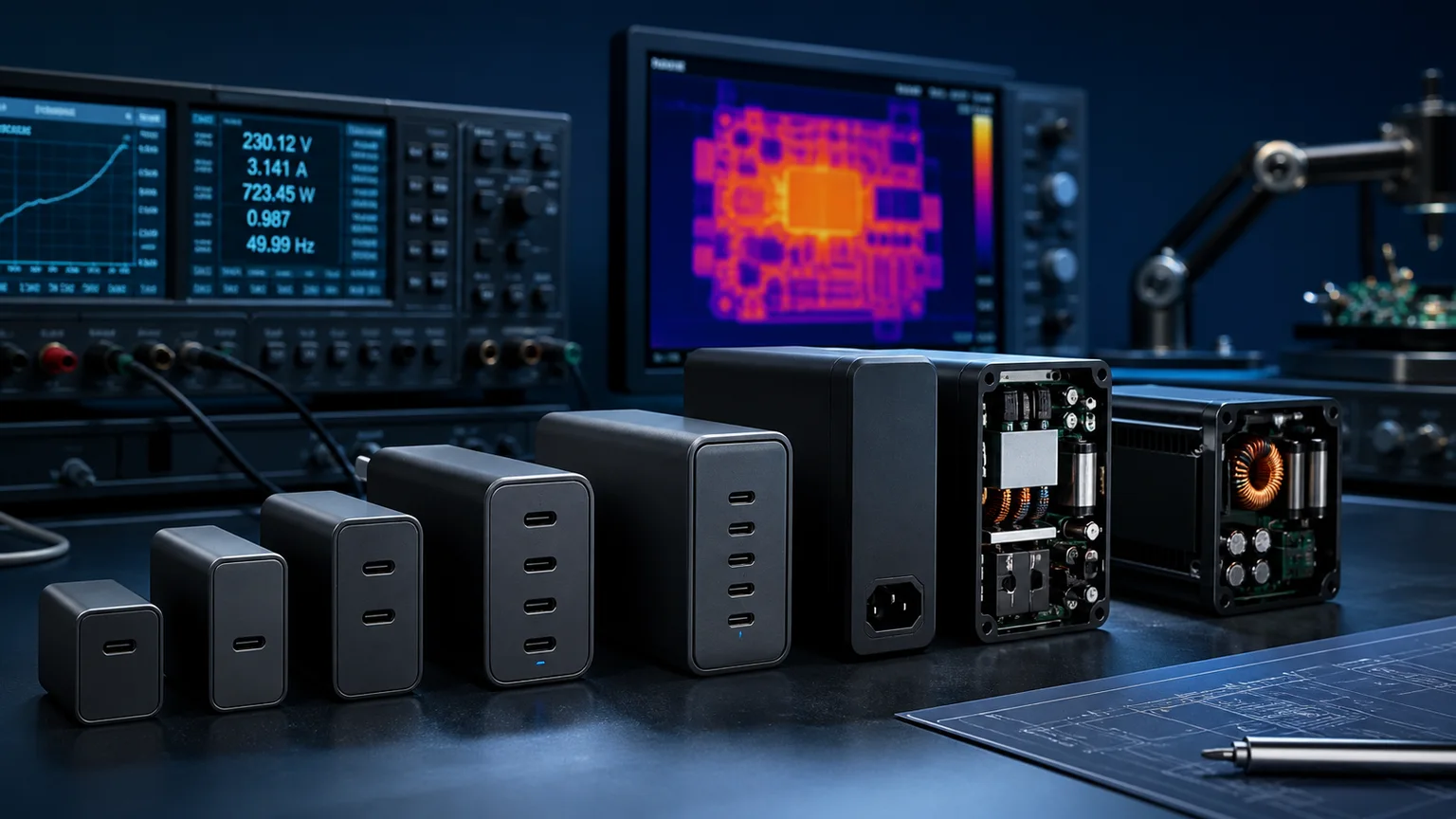

Two USB-C adapters can both read "100W output" on the label and yet be wildly different objects — one a chunky black brick that warms your bag, the other a pocket-sized cube barely larger than the plug pins. The difference is rarely the output rating. It is the semiconductor doing the switching inside. A traditional adapter switches with silicon (Si) MOSFETs; a modern compact one switches with gallium nitride (GaN) transistors. That single material change cascades into switching frequency, magnetic component size, efficiency, heat, and ultimately how much copper and ferrite the adapter has to carry.
This is not the same conversation as the USB-C PD 3.1 EPR 240W spec itself — that is about PDOs, PPS, SPR vs EPR voltage ranges and e-marked cables, i.e. the protocol. This guide is about the power conversion hardware: GaN vs silicon power adapter selection at 65W, 100W, 140W and 240W, why GaN keeps winning at higher power tiers, where silicon still makes more sense, and how to match each tier to laptops, mini PCs, multi-screen workstations and travel.
How Silicon MOSFET Power Adapters Work — Traditional Switching Topology
A conventional adapter is a switch-mode power supply. It rectifies the incoming AC mains to high-voltage DC, then chops that DC on and off rapidly through a transformer, and finally rectifies and filters the transformer output down to the regulated DC (or USB-C PD voltage) your device wants. The component that does the chopping is a silicon MOSFET, and the speed at which it can switch cleanly sets the entire design.
Silicon has a relatively narrow bandgap of about 1.1 eV, and silicon switches carry meaningful charge and switching losses each time they turn on and off. To keep those losses manageable, silicon adapters typically switch at 50–150 kHz. That low frequency forces the transformer and filter capacitors to be physically large, because magnetic and capacitive components store more energy per cycle at lower frequencies. The result is a reliable, mature, inexpensive design — but a bulky one, with a sizeable transformer and often a metal heatsink or thermal pad to shed switching losses.
How GaN HEMT Power Adapters Work — Wide-Bandgap Semiconductor + High-Frequency Switching
GaN flips the constraint. Gallium nitride is a wide-bandgap semiconductor with a bandgap of roughly 3.4 eV, more than triple silicon's. Practically, a GaN transistor (built as a HEMT — high electron mobility transistor) switches far faster and with much lower switching loss than a comparable silicon MOSFET — often 10× to 100× faster transitions. Lower loss per switching event means the adapter can run at much higher frequency without overheating.
That is the whole trick: GaN adapters commonly switch at 300 kHz to 1 MHz. Higher frequency lets the transformer and capacitors store far less energy per cycle, so those components shrink dramatically. The same 100W of output that needed a fist-sized silicon transformer can be delivered by a much smaller high-frequency GaN stage. You get the same wattage in a fraction of the volume — not by magic, but because the physics of a wider bandgap permits faster, cleaner switching.
Efficiency Comparison — Why GaN Wins at Light Load and High Frequency
At full load, a good silicon adapter reaches roughly 92–94% efficiency, while a GaN design typically hits 94–96%. A two-to-four-point gain sounds modest, but it has two real consequences: less waste heat to dissipate, and — because the lost energy shows up as temperature — a meaningfully cooler adapter.
The bigger story is light load. Phones, tablets and topped-off laptops spend most of their time drawing only a fraction of the adapter's rated power. Silicon designs tend to lose proportionally more efficiency at light load, where fixed switching overhead dominates. GaN's lower switching loss keeps efficiency high across a wide load range, so a GaN charger left plugged in overnight wastes less and runs cooler than a silicon equivalent. For an always-on device — a router, a CPE gateway, a mini PC — that light-load advantage compounds over thousands of hours.
Power Density and Form Factor — 65W GaN vs Si Adapter Size Comparison
Power density is where GaN's advantage is most visible. As a rule of thumb, a 65W GaN adapter occupies roughly one-half to one-third the volume of an equivalent silicon adapter, and weighs proportionally less. At 140W PD 3.1 EPR, GaN can compress what used to be a desktop "power brick" into something that fits a jacket pocket. Push to 240W and GaN is essentially mandatory if you want the unit to stay portable rather than becoming a tethered desktop block.
For higher-power desktop scenarios that don't need to fit a pocket — docking a workstation laptop, feeding a multi-output bench — a robust silicon-based desktop adapter is still a perfectly sound, cost-effective choice. Sanyi's HP-series high-power desktop adapters cover the 120W–480W range for exactly these fixed installations, while the APN-series mid-power desktop adapters (48W–144W) serve as a practical mid-tier reference where size is less critical than reliability and cost.
Thermal Design — Lower Loss Means Smaller Heatsinks (or None at All)
Heat is simply efficiency loss made visible. A silicon adapter wasting 7–8% of its throughput must channel that energy out through heatsinks, thermal pads, or a vented enclosure — adding bulk. GaN's higher efficiency and higher switching frequency cut total loss, so the adapter runs cooler at the same output. Many compact GaN designs shed the metal heatsink entirely, relying on the casing alone, which is part of why they can be so small.
Cooler running also helps longevity: electrolytic capacitors, the most heat-sensitive parts in any adapter, age faster at high temperature. A design that runs 10–15°C cooler at the same load gives those capacitors an easier life — useful context for the common belief that "GaN is automatically more reliable" (see pitfalls below; it's the thermal headroom, not the GaN die alone, that earns reliability).
Power Tier Selection — 65W, 100W, 140W (PD 3.1 EPR), 240W (PD 3.1 EPR)
- 65W — The sweet spot for a single thin-and-light laptop, or a phone-plus-tablet pair. PD 3.0 (up to 20V) covers it. GaN's size win is already decisive here; almost every modern 65W travel charger is GaN.
- 100W — Covers most 14–16" performance laptops and lets a single port run a laptop at full tilt, or split across two devices. Still within PD 3.0's 100W ceiling (20V/5A). This is the most common multi-device tier.
- 140W (PD 3.1 EPR) — Crosses into Extended Power Range, using up to 28V to push beyond the old 100W limit. Needed for high-performance and workstation laptops under sustained load. Requires an EPR-rated (5A e-marked) cable to deliver full power.
- 240W (PD 3.1 EPR) — The top of the USB-C PD spec, using up to 48V. Suits the most demanding mobile workstations and docking scenarios. GaN's density makes a portable 240W adapter feasible at all.
A practical note: low-power needs (under ~24W — earbuds, sensors, a phone trickle) don't benefit much from GaN. There, a simple silicon adapter is cheaper and entirely adequate.
USB-C PD and Multi-Port GaN Adapters — Sharing Logic, EPR Cable Requirements
Multi-port GaN chargers don't give every port full wattage simultaneously — they share a power budget. A "100W" two-port charger might deliver 100W to a single port, but split to roughly 65W + 30W when both are in use, renegotiating dynamically as devices plug and unplug via PD. Always read the per-port and combined tables, not just the headline number, so your laptop still gets enough when a phone is sharing the brick.
Two cable rules matter at the high tiers. To reach 140W or 240W, you need a PD 3.1 EPR cable carrying a 5A e-marker chip; a standard 3A cable caps delivery well below the adapter's rating regardless of how capable the adapter is. And the device must also negotiate EPR — plugging a 240W EPR adapter into a 65W laptop simply delivers 65W, no more. For engineers and travelers juggling several devices, an intelligent multi-output charger such as the Sanyi SY-C260W smart charger consolidates laptop, tablet and phone charging into one unit, while the larger SY-C500W charger suits a multi-screen workstation that also feeds a laptop.
Real-World Applications — Laptop Fast Charge, Mini PC, Engineer Workstation, Travel
- Laptop fast charge — 65–100W GaN is the default; 140W EPR for workstation-class machines.
- Mini PC / NUC — Often USB-C powered; a quiet, cool-running 100W GaN adapter is ideal for an always-on box.
- Engineer workstation — A 240W or high-power desktop unit driving a laptop plus monitors and peripherals; here a fixed silicon desktop adapter or a large multi-port charger both work.
- Router / gateway / CPE / auxiliary surveillance — Light, continuous loads where GaN's light-load efficiency pays back over time.
- Travel — Where GaN's volume and weight savings matter most; one compact multi-port GaN brick replaces several silicon bricks.
When Silicon Still Wins — Sub-24W Adapters, Cost-Sensitive Bulk Orders
GaN is not always the right answer. For sub-24W outputs, the size difference is negligible and silicon is simply cheaper. For cost-sensitive bulk orders — bundling an adapter with a low-margin product, or fitting a fixed enclosure where size is irrelevant — silicon's lower bill-of-materials usually wins. And for fixed desktop installations that never move, a silicon desktop adapter delivers the same wattage at lower cost, with the bulk being a non-issue. The rule of thumb: below ~45W or where size doesn't matter, consider silicon; at ≥45W where portability counts, GaN's density advantage takes over. The two technologies are complements, not rivals — much as pure sine wave vs modified sine wave inverters each suit different loads in a power-conversion lineup.
Sanyi Power Supply Ecosystem for GaN and Si Adapter Lineups
Sanyi builds across the full power-adapter spectrum so you can match the technology to the job rather than over- or under-buying:
- APN-series desktop adapters (48W–144W) — mid-power desktop reference for reliable, cost-effective fixed installations.
- HP-series high-power desktop adapters (120W–480W) — workstation and industrial desktop power where capacity matters more than pocketability.
- SY-C260W smart charger — multi-device consolidation for engineers and travelers.
- SY-C500W charger — high-power multi-output for workstations feeding screens plus a laptop.
Every unit ships with USB-IF / UL / CE / PSE / FCC compliance as applicable, plus over-voltage, over-current, short-circuit and over-temperature protection. Contact Sanyi for tier recommendations and OEM/ODM options across GaN and silicon designs.
Common Selection Pitfalls
- "GaN is always far more expensive." The GaN die premium has narrowed sharply; at 65W and above, the smaller transformer and reduced heatsinking partly offset it. Total cost is closer than the reputation suggests.
- "GaN is automatically more reliable." Reliability comes from thermal headroom, quality capacitors and protection circuitry — not the GaN transistor alone. A poorly designed GaN adapter can run hot; a well-designed silicon one can outlast it.
- "All GaN chargers support PD 3.1 EPR." No — GaN refers to the switching technology, EPR to the protocol. Many GaN adapters top out at 100W PD 3.0. Check for the explicit 140W/240W EPR rating.
- "My old 100W laptop will charge faster on a 240W GaN adapter." It won't. The device negotiates only what it's rated to accept; a 240W adapter delivers 100W to a 100W laptop and no more.
- "A multi-port charger gives every port its full rating at once." It shares a budget — total output is split across active ports.
FAQ
Is a GaN adapter worth it over a cheaper silicon one for a laptop? At 65W and above, yes for most users: you get roughly half to a third the size and weight, cooler running, and slightly better efficiency, for a now-modest price premium. If the adapter never leaves a desk and budget is tight, a silicon desktop adapter is still a sound choice.
Do I need a special cable for a 140W or 240W GaN adapter? Yes. PD 3.1 EPR (140W and 240W) requires a 5A e-marked (EPR-rated) USB-C cable. A standard 3A cable will throttle delivery well below the adapter's rating no matter how capable the adapter or device is.
Can one GaN adapter safely charge my laptop, tablet and phone together? Yes, if it's a multi-port unit with a sufficient combined budget — but the ports share that budget, so confirm the per-port split (e.g. 65W + 30W) leaves your laptop enough while a phone is attached. A consolidated charger like the SY-C260W is designed for exactly this multi-device use.
.webp)
.webp)